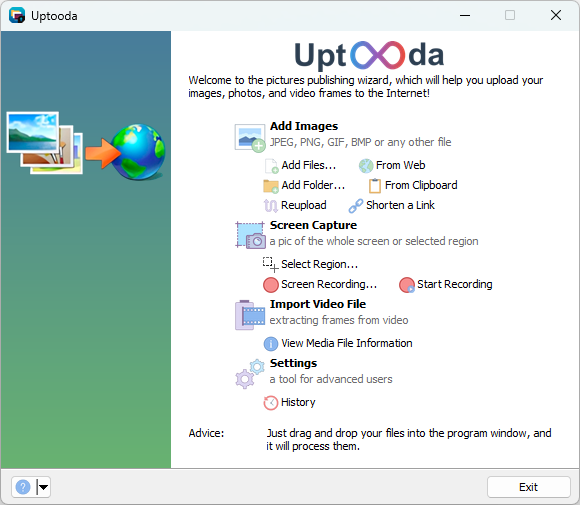
Uptooda is a free program for uploading images, screenshots and other files to a few dozen file hosting services. It can make screenshots, record videos from the screen, and has an integrated image editor.
Download the portable or console version
Supported operating systems: Windows 7 (SP1)/8/8.1/10/11
Image Uploader version 1.3.2 was the last supported release for Windows XP and Windows Vista.
Main Features
• Uploading files to image/file hosting services
The program can upload images and files to more than 30 hosting services. Additionally, Uptooda can upload files to an FTP/SFTP/WebDAV server. After uploading, Uptooda generates HTML, BBCode, and Markdown code for forums. It is also possible to specify your own output template.
• Grabbing frames from a video clip
The program is capable of extracting a specified number of frames from video files in formats such as AVI, MPG, VOB, WMV, MKV, MP4, TS, MOV, and many others. Uptooda can use both the codecs installed on your system and the codecs distributed with the program. The extracted frames can be individually uploaded to the selected hosting service or combined into a single mosaic image.
• Screenshots
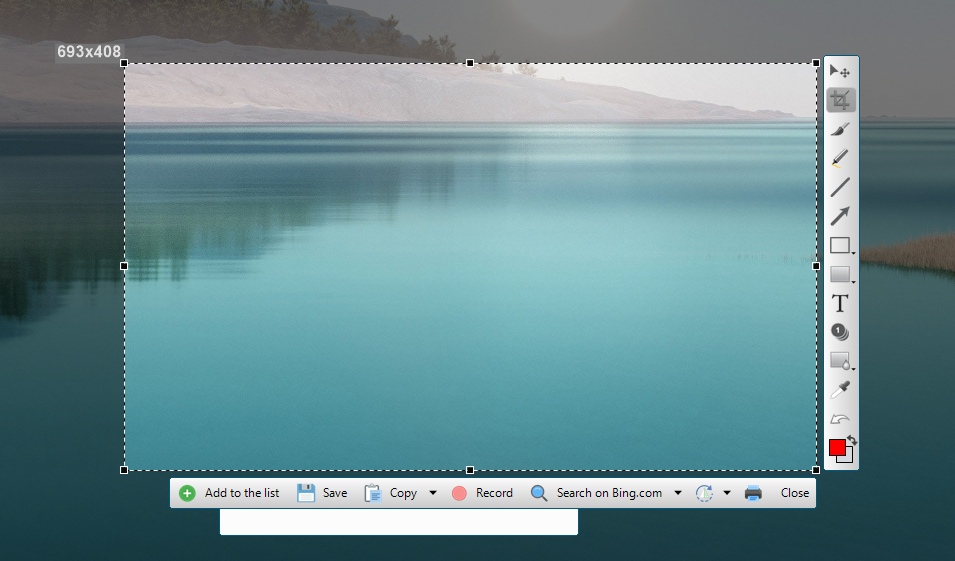
The program can capture screenshots of the entire screen, the active window, or a mouse-selected screen area (rectangular area, selected window, or freeform area).
• Image Editor
You can easily edit the screenshots you've taken: annotate, highlight, or obscure parts of the image.
• Screen Recording
Uptooda provides screen video recording functionality for creating demonstration content, offering two technological approaches. The first method works based on DirectX and the Desktop Duplication API without requiring additional software; it uses the H.264 and AAC codecs and can simultaneously record audio from multiple sources (requires Windows 8 or later). The second method uses FFmpeg version 7 or later for more flexible settings and a wider range of supported formats, but requires the utility and virtual audio devices (for recording system sound) to be installed beforehand; it also uses the Desktop Duplication API for efficient screen capture.
• Drag-and-drop and clipboard support
Simply drag and drop video files or images into the main window from File Explorer, another file manager, or a browser, and the program will be able to process them. Additionally, pasting images and links from the clipboard is supported. Conversely, you can drag or copy a file (or image) from the program window to another program.
• URL shortening
• Integration into the Windows Explorer context menu
• Multi-account support
• Reuploading
Reuploading images from text while preserving the original formatting.
Uptooda is available in the following languages: English, French, Russian, Swedish, Ukrainian, Turkish, Serbian, Croatian, Korean, Farsi, Arabic.